The first time we set up an AI Laser Bot for an event, the client’s biggest worry wasn’t the machine. It was the queue.
“What if 400 people want one and we can only do 100?”
That question turned out to be the right one to ask. When Photo Master India introduced the AI Laser Bot to Indian events, there was no playbook to borrow. Nobody here had run live laser engraving at events at this scale, so every lesson came from doing it on the floor: at product launches, trade show stalls, corporate townhalls, and destination weddings.
This article is that playbook. It isn’t a feature list. It’s what actually decides whether your engraving station becomes the busiest corner of the venue or a bottleneck with an unhappy line in front of it.
If you’re an event manager, a brand team, or a family planning a wedding and you’re weighing an AI Laser Bot for rent, this will help you plan it properly the first time.
Why Live Laser Engraving at Events Is New in India
Laser engraving itself isn’t new. Workshops in Mumbai, Delhi and Surat have engraved trophies, jewellery and corporate gifts for years. What’s new is taking that process out of the workshop and putting it in front of a guest, live, with a queue, under event lighting, on a timeline.
That shift changes everything about how the machine has to behave:
- It has to be fast. A workshop can take a day. A guest at a stall will give you a few minutes.
- It has to be safe in a public space. Enclosed engraving, controlled fumes, and a trained operator are non-negotiable.
- It has to handle variety. One guest wants a steel tumbler, the next wants a wooden keychain, the next wants a bracelet.
- It has to look good doing it. Half the value is people watching their name appear on the product.
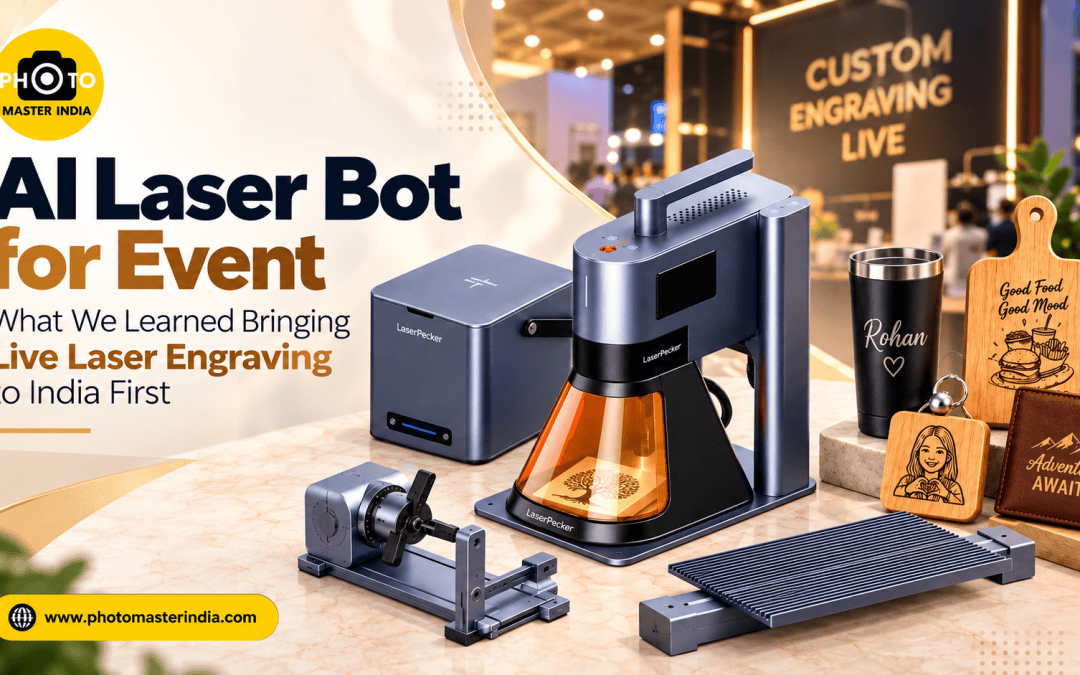
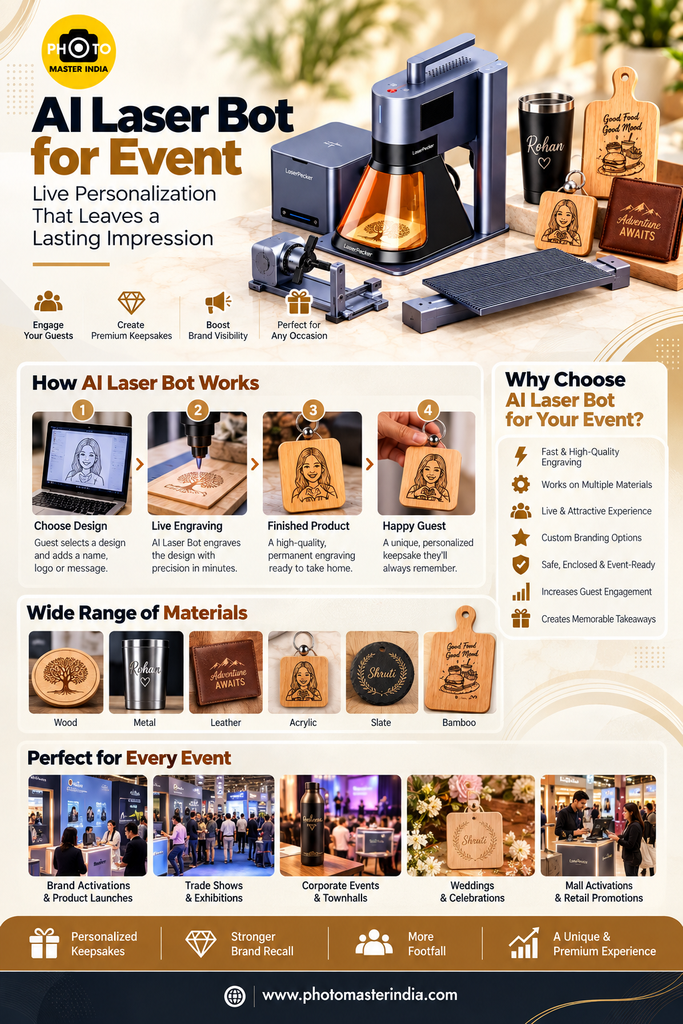
That’s why an AI Laser Bot is built differently from a regular engraving machine. Ours runs a dual 20W laser setup, a fiber laser for metals and a diode laser for wood and similar materials, plus a rotary extension for curved items and a slide extension that opens up a working area of up to 160 × 300 mm. Those details sound technical, but at an event they translate into one practical thing: you can offer guests more than one kind of product without swapping machines.
Is an AI Laser Bot Right for Your Event?
Before talking about logistics, it’s worth being honest about fit. An ai laser bot works brilliantly in some formats and is the wrong tool in others.
Where it works best
- Brand activations and product launches. Guests engrave a name or date next to the brand’s logo. The keepsake carries the brand home and stays on a desk for years.
- Trade shows and exhibitions. A live station pulls footfall away from static booths. People stop just to watch.
- Corporate townhalls, offsites and rewards nights. Personalized desk items make employee recognition feel personal rather than printed-in-bulk.
- Weddings and private celebrations. Engraved favours replace the return-gift catalogue nobody reads.
- Mall activations. The live process itself is the attraction for passing shoppers.
Where it’s a harder fit
- Very high-volume, short-window moments, such as 1,500 guests leaving a concert in 20 minutes. No single engraving station can serve that. You’d need pre-engraving, multiple stations, or a registration system.
- Events where nobody stays put. If guests pass through a space in under five minutes, they won’t wait for their turn.
A good AI Laser Bot vendor should tell you this upfront. If someone promises unlimited output for any crowd, treat that as a warning sign.
The Guest-Count Maths Most Planners Skip
This is the single most useful planning step, and it’s the one we see skipped most often.
Every engraving has three parts: the guest choosing and confirming their text, the engraving itself, and handover. A short name on a flat keychain is quick. A logo plus name wrapped around a tumbler takes longer. So your throughput depends on what you engrave, not just how many people show up.
Here’s a simple way to estimate it for one station:
- Take the average time per guest from start to handover. For planning, assume around 3 to 4 minutes for simple personalization. Your vendor should give you a real figure for your chosen product.
- Divide 60 by that number to get guests per hour. At 3 minutes, that’s about 20 an hour.
- Multiply by the hours the station is actually open to guests, not the event’s total length.
A 6-hour activation at roughly 20 guests an hour gives you about 120 engraved keepsakes from one station. If your guest list is 400, you now know you need to either add a second station, simplify the design, pre-engrave the brand logo so only the name is done live, or limit engraving to a defined audience such as VIPs, contest winners, or registered attendees.
That’s the answer to the question our first client asked. Once you do this maths early, the queue stops being a surprise.
Choosing Products Guests Actually Keep
The machine is only half the experience. The product you choose decides whether the keepsake gets used or ends up in a drawer.
Match the product to the audience
- Corporate and tech audiences: steel tumblers, bottles, pen stands, card holders, and wooden desk plaques. Useful items outlive the event.
- Wedding guests: wooden keepsake boxes, coasters, bracelets, and small photo frames with the couple’s names and date.
- Mass footfall (malls, exhibitions): keychains and coasters. Lower cost per piece, faster engraving, easy to carry.
- VIP and client gifting: premium tumblers or rings, where a slightly longer engraving time is worth it.
Match the product to the laser
This is where the dual laser matters. Fiber lasers give crisp, permanent marks on metals such as stainless steel. Diode lasers suit wood, leather-type materials and many coated surfaces. The rotary extension lets the machine engrave curved and cylindrical items like tumblers, mugs, bottles, bracelets and rings with the same control as a flat surface.
What to avoid: picking a product because it looks nice in a catalogue without testing it. Different finishes react differently to a laser. Always ask your vendor for a test engraving on the exact product and finish you plan to hand out, before you order it in bulk.
Preparing Your Design and Text Before the Day
Most on-the-day delays come from design files, not the machine.
- Send the logo as a vector file (AI, SVG, EPS or a clean PDF). A pixelated JPG from a website header will engrave badly.
- Keep it simple. Engraving is one colour: the mark of the laser. Gradients, shadows and thin decorative lines don’t translate well.
- Fix the layout in advance. Decide where the logo sits, where the guest’s name goes, and the maximum number of characters allowed. A 10-character limit on a keychain keeps things quick and legible.
- Lock the font. Pick one or two fonts that stay readable at small sizes. Script fonts look lovely on a wedding favour but can blur on a tiny bracelet.
- Plan for regional names. If your guests may want names in Hindi, Bengali, Tamil or another script, tell your vendor early so the right fonts are set up and tested.
A 15-minute approval call a few days before the event saves hours of confusion at the counter.
Venue Logistics That Make or Break the Station
When you book an AI Laser Bot in India, venues vary enormously, from five-star ballrooms to exhibition halls to open lawns. A few basics make the difference:
- Stable power. The station needs a dedicated, reliable power point. Shared extension boards with lighting rigs are a common cause of interruptions.
- Indoor or covered placement. Direct sun, rain and heavy wind are not friends of precision equipment.
- Enough space for a queue. Plan a clear waiting area that doesn’t block walkways or neighbouring stalls.
- Ventilation. Engraving produces some fumes. A well-run setup manages this, but you should still avoid tucking the station into a closed corner.
- Visibility. Place it where people can see the engraving happening. The live process is your crowd-puller, so don’t hide it behind a pillar.
- Setup time. Build in time before doors open for installation, calibration and a test run. Rushing setup is the fastest way to have a slow first hour.
Common Mistakes and Misconceptions
After running this format across different cities and event types, the same mistakes come up again and again.
“It’s just a giveaway machine.” It isn’t. A giveaway table is passive. An engraving station is an experience with a queue, a host, and a moment. Treat it like an activation, with staff, signage and a flow, and it performs like one.
“We’ll decide the product on the day.” Products need to be sourced, tested and stocked in the right quantity. Last-minute changes usually mean compromises on quality or speed.
“Everyone will get one.” Only if you did the guest-count maths. Otherwise, set expectations with clear signage or token-based entry.
“Any engraving vendor can do this.” Workshop engraving and live event engraving are different skills. Ask how many live events the operator has run, what laser setup they use, and whether they can engrave curved items. A single low-power laser may handle flat wood well and still struggle on metal tumblers.
“More design detail looks more premium.” The opposite, usually. Clean, bold, simple designs engrave faster and look sharper.
AI Laser Bot Rent vs Buying a Machine
Some brands ask whether they should buy their own machine instead of choosing ai laser bot rental. For most, renting makes more sense:
- You pay for the experience, not the asset. Rental typically includes the machine, a trained operator, setup and guest management.
- No learning curve. Getting fast, consistent results live takes practice with settings, materials and queue flow.
- No storage, maintenance or transport headaches between events.
- Flexibility. You can scale to more stations for a big launch and fewer for a small offsite.
Buying only starts to make sense if you’re running engraving activations almost every week and have a team to operate the equipment full-time.
How to Evaluate an AI Laser Bot Vendor
Because this is a new category in India, quality varies a lot between operators. Ask these questions before you book:
- What laser setup do you use? Look for a configuration that covers both metals and wood-type materials.
- Can you engrave curved products? A rotary attachment is essential for tumblers, bottles and bracelets.
- Who runs the station on the day? You want a trained operator, not a machine dropped off at the venue.
- Will you do a test engraving on our product? A good vendor will insist on it.
- What’s your realistic output per hour for our design? You want a specific estimate, not “as many as you need”.
- Which cities do you cover? Check whether they can support you in your location without extra delays.
- What happens if something goes wrong? Ask about backup plans for power issues or technical faults.
At Photo Master India, being the first to bring the AI Laser Bot for events to India means we’ve already made most of the early mistakes, so our clients don’t have to.
Pro Tips from the Engraving Floor
A few small things that consistently lift the experience:
- Pre-engrave the fixed part. If your logo appears on every item, engrave it before the event. Only the guest’s name happens live. This alone can noticeably increase how many guests you can serve.
- Use a name card or tablet form. Guests write or type their text before they reach the counter. Fewer spelling errors, faster turnaround.
- Always read the text back to the guest. A misspelled name on a permanent engraving is the one mistake you can’t undo.
- Give the station a host. Someone who manages the line, explains what’s happening and hands over the finished piece keeps the energy up.
- Make the moment shareable. A small branded backdrop or a display of finished pieces encourages guests to photograph and post their keepsake.
- Keep a few extra blanks. Occasionally a product has a manufacturing flaw. Spares keep the line moving.
- Close the queue before you close the station. Stop accepting new guests 20 to 30 minutes before the end so nobody who waited walks away empty-handed.
Conclusion: Plan the Experience, Not Just the Machine
An AI Laser Bot for your event can be the part of the day guests talk about on the way home, because they leave with something made for them while they watched. But the technology only delivers when the planning around it is solid: realistic guest-count maths, the right products, clean design files, a good spot in the venue, and an experienced operator.
Live laser engraving at events is still new in India, and that’s exactly why experience counts. If you’re exploring an AI Laser Bot for rent for a launch, an exhibition, a corporate celebration or a wedding, start with the questions in this guide. And if you’d like a team that has run this format since it first arrived in India to help you plan it, Photo Master India is happy to talk it through.
Frequently Asked Questions
1. How many guests can one AI Laser Bot serve at an event?
It depends on the product and the design. Simple personalization such as a short name on a flat keychain is faster than a logo and name wrapped around a tumbler. For planning, estimate the time per guest from text entry to handover, divide 60 by that figure to get guests per hour, then multiply by the hours the station is actually open. If the number is lower than your expected crowd, pre-engrave the logo, simplify the design, add a second station, or limit engraving to a defined audience. Ask your vendor for a real per-hour figure based on your chosen product before you finalise quantities.
2. What products can be engraved with an AI Laser Bot?
With a dual fiber and diode laser setup, the range covers metals such as stainless steel as well as wood and many coated or leather-type surfaces. The rotary extension handles curved items like tumblers, mugs, bottles, bracelets and rings, and the slide extension allows larger flat designs of up to 160 × 300 mm. Because finishes behave differently under a laser, always request a test engraving on the exact product and finish you plan to use before ordering in bulk.
3. How far in advance should I book an AI Laser Bot for rent?
Earlier is better, especially during wedding season and the festive and year-end corporate calendar, when demand for event experiences is highest across India. Beyond the date itself, you need time to choose products, source them in the right quantity, get design files approved, and run a test engraving. Two to three weeks gives comfortable breathing room for most events. Larger launches with custom products or multiple stations benefit from even more lead time.
4. Is live laser engraving safe to run in a crowded venue?
When it’s run properly, yes. A professional setup uses an enclosed engraving area, manages fumes, and is operated by trained staff who keep guests at a sensible distance from the working machine. From the event side, give the station a stable dedicated power point, an indoor or covered location, reasonable ventilation, and a clearly marked queue that doesn’t block walkways. Ask your AI Laser Bot vendor to walk you through their safety and backup arrangements before the event.
5. Why choose Photo Master India as an AI Laser Bot vendor in India?
Photo Master India was the first company to introduce the AI Laser Bot to events in India, so the team has hands-on experience across corporate events, trade shows, product launches, mall activations and weddings. The setup uses a dual 20W laser system with rotary and slide extensions, which means one station can handle both metal and wood products, flat and curved. The team manages installation, live operation and guest flow end to end, and supports events across major Indian cities. That experience shows most in planning: realistic output estimates, product testing and design guidance before the day, so the station runs smoothly once doors open.