
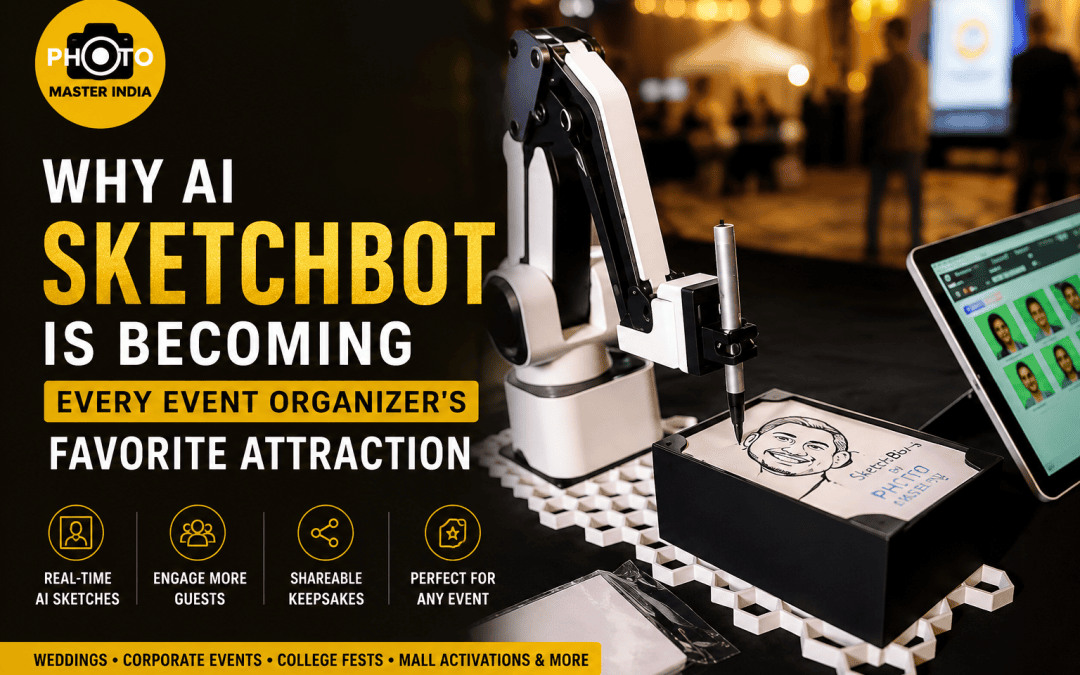
Every event planner remembers the moment a “fun idea” turned into a logistical headache. A caricature artist who couldn’t keep pace with a 300-guest crowd. A photo booth queue that ate up thirty minutes of a two-hour cocktail hour. A prop table nobody touched after the first hour because the novelty wore off fast.
This is the exact gap that has pushed AI sketchbot technology from a niche gimmick to a genuine must-have on event checklists across India. If you’ve been searching for AI sketchbot vendors because your last event’s entertainment fell flat, or because a client specifically asked for something “different this time,” you’re not alone — and you’re asking the right question at the right time.
At Photo Master India, we’ve deployed sketchbots at weddings, corporate product launches, college fests, and mall activations across multiple cities. What follows isn’t theory pulled from a trend report. It’s what we’ve actually learned running these machines in real Indian event conditions — power cuts, monsoon humidity, impatient toddlers, and all. If you’re evaluating whether this fits your next event, this guide should answer the questions that actually matter before you book.
Why AI Sketchbot Is Becoming Event Organizers’ Favorite
There’s a reason AI Sketchbot Is Becoming Event Organizers’ Favorite talking point in planning meetings this year, and it isn’t just novelty. From where we sit, having run this equipment at dozens of live events, three practical factors are driving the shift:
| Factor | Why It Matters | What We’ve Observed |
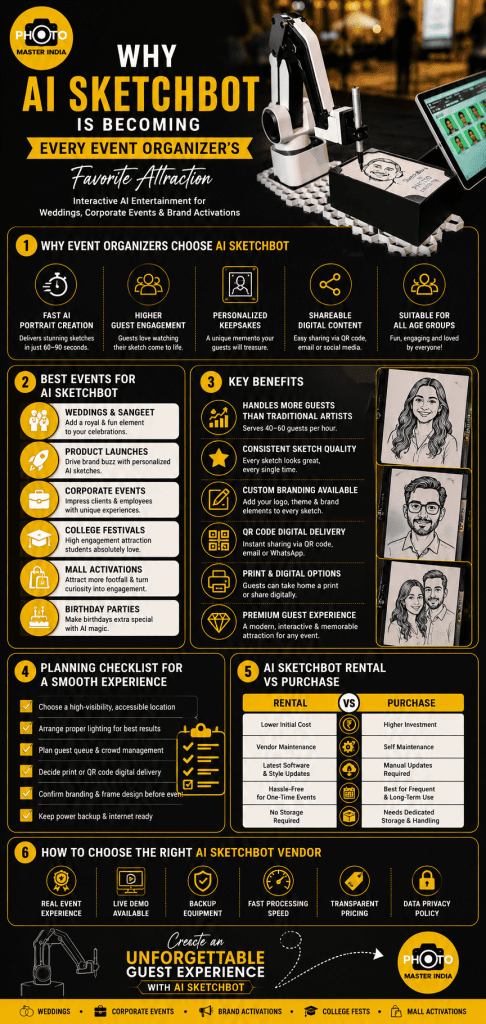
| Guest throughput | A human caricature artist serves ~15–20 guests/hour | A configured sketchbot setup handles 40–60/hour depending on style |
| Output consistency | Human artists tire; quality drops by hour four | Sketchbot output quality stays identical from guest one to guest sixty |
| Organic shareability | Guests actively look for “postable” moments | Sketch outputs get shared on Instagram/WhatsApp Status far more than standard printed photos |
We’ve watched corporate clients specifically request sketchbots for the shareability factor alone. A branded sketch frame at a product launch does quiet marketing work that a standard step-and-repeat backdrop simply can’t match.
Where AI Sketchbots Fit Best: Real Event Scenarios
Not every event needs the same setup. Based on activations we’ve run, here’s how the fit actually breaks down:
| Event Type | Ideal Placement | Recommended Style | Why |
| Weddings & Sangeet | Near lounge/dessert counter | Detailed, decorative frame | Guests have time to enjoy the full “watch it draw” moment |
| Corporate launches | Near branded backdrop | Logo-watermarked, digital delivery | Doubles as shareable branded content |
| College fests | High-footfall walkway | Fast cartoon/anime style | Keeps queue moving, matches audience taste |
| Mall/retail activations | Visible from distance | Large preview screen, quick style | Pulls in walk-by footfall, converts curiosity into queue |
Weddings and Sangeet Functions
Indian weddings run long, and guest energy dips somewhere between the main ceremony and the after-party. We’ve found that placing the sketchbot near the lounge or dessert counter — rather than the main entrance — keeps a steady, unhurried flow of guests without competing with entry photo moments.
Corporate Events and Product Launches
Here, branding matters more than novelty. Sketch outputs can carry a logo watermark or a custom frame, turning every guest’s keepsake into a piece of branded content they willingly share. We’ve seen higher genuine social engagement from this than from paid social ads running the same week.
College Fests and Youth Events
Speed matters most here. Younger crowds want something quick, quirky, and meme-worthy. Faster sketch styles tend to outperform detailed realistic portraits in this setting, purely because the queue keeps moving.
Mall and Retail Activations
Footfall-driven events need a strong “stop and look” factor. A sketchbot with a large preview screen visible from a distance pulls in walk-by traffic far more effectively than a static banner.
AI Sketchbot for Events: What Actually Determines Success
Booking the technology is the easy part. What separates a forgettable activation from a talked-about one usually comes down to setup decisions most people don’t think about until it’s too late.
| Setup Factor | Common Oversight | What We Do Instead |
| Lighting | Assuming ambient venue lighting is enough | Bring supplementary lighting for outdoor evening events |
| Queue design | No visible waiting structure | Use rope lines or a “next in X minutes” display |
| Output format | Deciding delivery method on the spot | Confirm print vs. digital/QR delivery during planning, not on event day |
| Power backup | Relying entirely on venue power/internet | Carry UPS backup and offline processing capability |
Tier 2 and tier 3 city venues especially deal with real power fluctuation. Any serious vendor should arrive prepared for this — not entirely dependent on live internet or a single power source.
AI Sketchbot Rental vs. Purchase: What Makes Sense
Almost every event organizer we talk to eventually asks whether renting or owning makes more financial sense.
| Consideration | AI Sketchbot Rental | Purchasing |
| Best suited for | One-off events, seasonal wedding demand, first-time users | Entertainment companies running multiple events monthly |
| Upfront cost | Low — per-event pricing | High — full equipment investment |
| Maintenance responsibility | Handled by vendor | Falls on your team |
| Software/style updates | Vendor keeps it current | Requires ongoing technical upkeep |
| Storage between events | Not your concern | Needs dedicated storage and handling |
| Break-even point | Not applicable | Typically 8–12 months of frequent use |
For the vast majority of individual event planners, wedding companies, and corporate marketing teams, AI sketchbot rental remains the more practical choice — it keeps the technology fresh without tying up capital.
Choosing Among AI Sketchbot Vendors: What to Actually Check
The market has grown quickly, and not every vendor offering “AI sketchbot” services delivers the same reliability. Based on what we screen for in our own operations — and what we recommend clients ask any vendor, including us — here’s what genuinely matters:
| What to Ask | Why It Matters | Red Flag Answer |
| “Can I see a live demo, not a sample gallery?” | Curated samples hide real-world quality issues | Vendor only shows pre-selected portfolio images |
| “How does the system perform with 20+ guests queued?” | Speed under load is different from a single test | No clear answer or untested claim |
| “Is backup hardware included on event day?” | Equipment failure is unacceptable mid-event | Backup only offered as a paid add-on, if at all |
| “How is guest photo data stored and for how long?” | Guest images are personal data | Vague or evasive response |
| “Can branding and sketch style be customized?” | One-size-fits-all templates don’t match every event | Only one fixed style offered |
If a vendor hesitates on any of these, that’s worth noting before you sign.
Common Mistakes Event Organizers Make
We’ve corrected these more times than we can count:
- Booking without a physical space walkthrough. Sketchbots need dedicated floor space with sightlines guests can actually find — tucking it in a corner kills footfall.
- Assuming one style fits every guest demographic. A stylized cartoon sketch might delight a college crowd and underwhelm a formal corporate audience expecting polished portrait realism.
- Ignoring output delivery logistics. If guests can’t easily get their sketch (print pickup chaos, broken QR flow), the goodwill generated by the experience evaporates fast.
- Underestimating queue psychology. Guests tolerate short, visible waits. They abandon long, unclear ones. Managing perceived wait time matters as much as actual processing speed.
Pro Tips From Running Sketchbots at Scale
A few things we’ve learned that rarely make it into vendor pitch decks:
- Run a 10-minute soft test with the venue’s actual lighting before doors open — screen glare and backlighting cause more capture issues than the AI model itself.
- For events over 200 guests, stagger the activation — open it an hour after doors rather than at entry, so it doesn’t compete with initial photo-op crowding.
- Brief the on-site operator on event context, not just machine operation. An operator who understands it’s a 60th birthday versus a college fest will naturally guide guest poses and pacing differently.
- Always carry a printed backup style guide for guests unsure what sketch style to pick — decision fatigue slows queues more than the tech does.
- For events over 300 guests, run two units in parallel rather than pushing one machine past its comfortable throughput — this single decision prevents more complaints than any other setup change.
The Bigger Picture: AI Entertainment and Event Engagement
Sketchbots are part of a broader shift in how AI entertainment is reshaping event engagement. Guests today expect more than passive experiences — they want something interactive, personal, and shareable. This is the same demand driving growth in interactive technology across the events industry, from AI photo booths to real-time digital caricature walls.
What makes sketchbots stand out within this broader category is the balance they strike: high engagement value without requiring guests to do anything complicated. No app downloads, no lengthy instructions — just sit, smile, and watch the sketch appear.
Why Event Organizers Choose Photo Master India
We’ve said throughout this guide that the technology alone doesn’t make an activation successful — the operational details do. That’s the part we’ve built our reputation on:
- On-ground experience across event formats — weddings, corporate launches, college fests, and mall activations, each requiring a different setup approach.
- Backup-ready equipment — UPS power backup and offline processing built into every deployment, so a venue’s power issue doesn’t become your event’s problem.
- Transparent data handling — clear terms on how guest photos are processed and stored, shared upfront, not buried in fine print.
- Custom branding and style options — logo overlays, frame designs, and sketch styles matched to your event’s tone, not a fixed template.
- On-site operators who understand events, not just machines — briefed on your event context so pacing and guest experience stay smooth from guest one to guest two hundred.
If you’re planning an event and weighing your options among AI sketchbot vendors, we’re happy to walk you through a live demo, discuss AI sketchbot rental pricing for your specific guest count, or advise on the right setup for your venue before you commit to anything. Reach out to Photo Master India with your event date, guest count, and venue type, and we’ll tell you honestly whether a sketchbot is the right fit — and how to get the most out of it if it is.
Conclusion
An AI sketchbot isn’t a passing novelty — it’s become a practical answer to a real problem event organizers have dealt with for years: how to keep large guest crowds genuinely engaged without overwhelming staff or budgets. Whether you’re comparing AI sketchbot vendors for an upcoming wedding season, considering an AI portrait booth for a corporate launch, or exploring AI sketchbot rental options before committing to a purchase, the decision comes down to the same fundamentals: reliable technology, thoughtful placement, and a vendor who understands events, not just equipment.
At Photo Master India, we’ve built our sketchbot operations around exactly these lessons. If your next event needs an attraction that guests actually remember and share, get in touch with us — we’ll help you plan it right from the first conversation.
Frequently Asked Questions
1. How long does it typically take for an AI sketchbot to generate a portrait during a live event?
In our experience running these at events with heavy footfall, processing time usually falls between 15 seconds and 2 minutes, depending on the sketch style selected. Simpler cartoon-style outputs process faster than detailed realistic portraits. We generally recommend faster styles for high-traffic events like college fests and mall activations, and reserve detailed styles for smaller, more relaxed gatherings like intimate weddings where guests aren’t in a rush.
2. Can an AI sketchbot handle outdoor events, or does it need to be indoors?
It can work outdoors, but success depends heavily on lighting and power planning. We’ve run sketchbots successfully at outdoor evening weddings, but only after adding supplementary lighting and confirming a stable power backup on-site beforehand. Direct sunlight glare during daytime outdoor events is actually a bigger challenge than nighttime setups, so we always recommend a shaded or covered placement if the activation runs during peak daylight hours.
3. Is renting an AI sketchbot more cost-effective than purchasing one for a wedding planning business?
For most wedding planners handling occasional events, rental is significantly more practical. It avoids maintenance costs, software update responsibilities, and storage between bookings. We’ve seen purchase only make financial sense for businesses running multiple large events every month, where the machine sees near-constant use. If you’re testing whether sketchbots resonate with your specific client base first, rental also lets you evaluate that without upfront capital risk.
4. What happens to guest photos after the event — are they stored or deleted?
This varies by vendor, which is exactly why we recommend asking directly before booking. At Photo Master India, we explain our retention policy upfront — whether images are deleted after processing, stored temporarily for delivery purposes, or retained longer for portfolio use with guest consent. Given that guest photos count as personal data, this transparency should never be an afterthought in your vendor conversation.
5. How many guests can an AI sketchbot realistically serve in a single event?
Based on our own event logs, a single well-configured unit comfortably serves 40–60 guests per hour with a moderately detailed sketch style, and higher for simplified cartoon outputs. For events with 300+ guests or tight time windows, we typically recommend running two units simultaneously rather than one, since queue frustration builds faster than most organizers expect once wait times cross the 10–15 minute mark.
Planning an event and want to see how an AI sketchbot could fit?
Contact Photo Master India for a live demo, honest guidance on setup, and a quote based on your actual guest count and venue — not a generic package.